
Businesses generate large amounts of information every day through forms, surveys, transactions, devices, customer interactions, and internal operations. Managing this information manually can consume valuable time and create unnecessary errors.
Automated data capture provides a more efficient approach by collecting information directly from digital sources and transferring it into business systems. This allows employees to spend less time entering information and more time using it.
From survey data collection to machine-generated information, automated systems can improve speed, accuracy, and accessibility across many business processes.
What Is Automated Data Capture?
Automated data capture is the process of collecting information from documents, digital forms, devices, systems, and other sources with minimal manual intervention.
Instead of requiring employees to manually read, copy, and enter every piece of information, automated technologies can capture and transfer data directly into databases or business applications.
Common technologies include optical character recognition, barcode scanning, digital forms, APIs, sensors, connected devices, and intelligent software systems. The objective is to make information available faster while reducing repetitive administrative work.
Why Automated Data Capture Matters
 Manual data entry can become a bottleneck when businesses handle large volumes of information. Employees may spend hours transferring information between spreadsheets, forms, databases, and software platforms.
Automation reduces this burden by allowing information to move directly from its source to the appropriate system. This can help businesses improve productivity, reduce errors, accelerate reporting, and create more consistent workflows.
How Automated Data Capture Streamlines Business Processes
Reduces Manual Data Entry
One of the biggest advantages of automated data capture is reducing repetitive data-entry tasks. Employees no longer need to manually copy information from every form, document, or record.
For example, digital forms can automatically transfer submitted information into a customer database. This eliminates unnecessary copying and allows employees to focus on higher-value responsibilities. Reducing manual entry can also improve employee productivity because teams spend less time performing repetitive administrative work.
Improves Data Accuracy
Manual data entry creates opportunities for spelling mistakes, incorrect numbers, duplicate records, and missing information.
Automated systems can capture data consistently according to predefined rules. Validation features can also identify incomplete or unusual information before it enters a business system. Better accuracy creates more reliable records and helps businesses make decisions using cleaner information.
Speeds Up Information Processing
Businesses often need information quickly to respond to customers, manage operations, or identify problems. Manual processes can delay this information.
Automated data capture allows information to move through workflows much faster. Data collected through a digital form, device, or transaction can potentially become available to the relevant system almost immediately. Faster processing helps businesses respond more efficiently to changing conditions.
Improve Survey Data Collection
Simplify Digital Surveys
Survey data collection is an important source of customer, employee, and market information. Traditional paper surveys require manual collection, organization, and data entry.
Digital survey systems can capture responses automatically and store them in structured formats. This makes it easier to analyze results and identify trends.
Businesses can also use automated survey workflows to distribute questionnaires, collect responses, and organize results without extensive manual intervention.
Increase Response Efficiency
Automated survey processes can send invitations, reminders, and follow-up messages according to predefined schedules.
For example, a customer may automatically receive a feedback survey after completing a purchase or interacting with customer support.
These automated workflows help businesses collect feedback consistently while reducing the administrative effort required to manage surveys.
Use Electronic Data Collection for Faster Workflows

Replace Paper-Based Processes
Electronic data collection allows organizations to capture information digitally instead of relying on physical documents.
Employees can use online forms, mobile applications, tablets, and other digital interfaces to enter information directly into business systems.
This reduces the need for printing, scanning, filing, and manually transferring information from paper documents.
Improve Data Accessibility
Electronic information can be stored and accessed more easily than physical records. Authorized employees can retrieve information from centralized systems when they need it.
This can improve collaboration between departments and reduce the time employees spend searching for documents or records.
Businesses can also create standardized digital workflows that make information easier to organize and manage.
Connect Machine Data Collection With Business Systems
Capture Information From Connected Devices
Machine data collection involves gathering information directly from equipment, sensors, industrial systems, and connected devices.
Machines can generate data about operating conditions, production levels, performance, temperature, usage, or maintenance requirements.
Automated systems can capture this information continuously without requiring employees to record every measurement manually.
Support Predictive Maintenance
Machine-generated information can help businesses identify potential equipment problems before they cause major disruptions.
For example, unusual temperature readings, vibration levels, or operating patterns may indicate that equipment requires inspection.
By monitoring machine data automatically, organizations can plan maintenance more effectively and potentially reduce unexpected downtime.
Improve Customer Experience
Capture Customer Information Faster
Automated data capture can improve how businesses collect customer information during registrations, purchases, support interactions, and feedback processes.
When customer details are captured directly into a centralized system, employees can access relevant information without repeatedly asking customers for the same details. This can make interactions faster and more convenient.
Personalize Customer Interactions
Accurate customer data can help businesses understand preferences, purchase history, and previous interactions.
This information can support more relevant recommendations, communication, and service experiences.
When data is collected automatically and responsibly, businesses can create smoother customer journeys while reducing unnecessary repetition.
Automate Document Processing
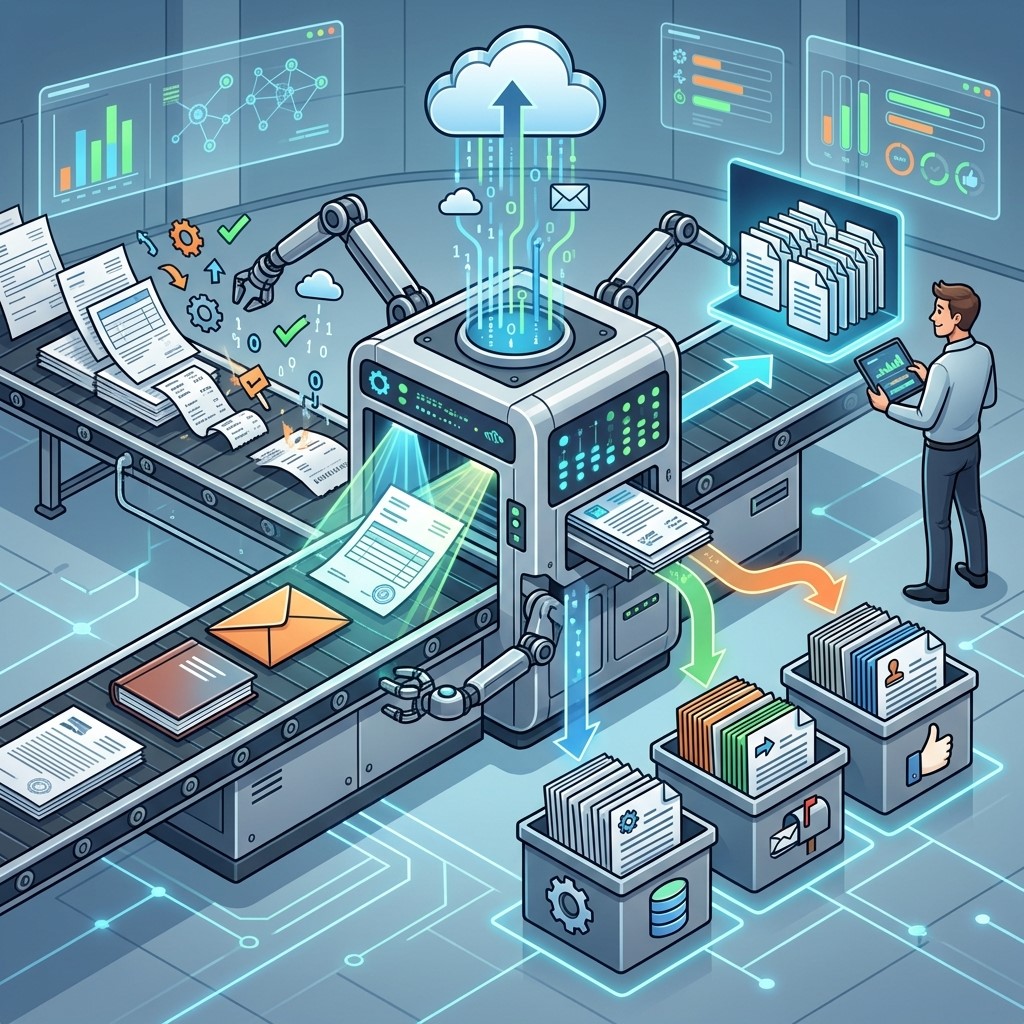
Extract Information From Documents
Many businesses still receive invoices, applications, receipts, contracts, and other documents containing valuable information.
Automated document-processing technologies can extract relevant information from these files and transfer it into business systems.
Optical character recognition and intelligent document processing can reduce the need for employees to manually type information from every document.
Reduce Administrative Work
Automated document capture can shorten processing times and reduce repetitive administrative tasks.
For example, invoice information can be captured and transferred into an accounting workflow instead of requiring employees to manually enter every field.
This allows administrative teams to focus more on reviewing exceptions and handling complex tasks.
Improve Business Reporting
Provide Faster Access to Information
Reliable data is essential for effective reporting. When information is captured automatically, businesses can reduce delays between data collection and analysis.
Managers can access more current information and use it to evaluate performance, identify problems, and monitor important business activities.
Faster access to data can make reporting more responsive and useful.
Support Better Decision-Making
Automated data capture can create a more consistent information flow throughout an organization.
When managers have access to accurate operational, customer, and machine information, they can make decisions using evidence rather than assumptions.
This can support improvements in resource allocation, customer service, production, and overall business planning.
Improve Workflow Integration

Connect Different Business Systems
Businesses often use multiple platforms for accounting, customer management, inventory, operations, and reporting.
Automated data capture can connect information from these different sources and transfer it to the appropriate systems.
Integration reduces the need for employees to manually move information between applications.
Create Automated Workflows
Once information is captured, additional actions can be triggered automatically.
For example, a completed application could automatically create a customer record, notify a relevant department, and start a review process. These workflows reduce delays and create more consistent business operations.
Protect Data Quality and Security
Establish Validation Rules
Automated systems can include rules that check information before it is stored.
Required fields, formatting requirements, duplicate detection, and logical validation can help prevent poor-quality data from entering business databases.
Maintaining data quality is important because inaccurate information can affect reporting and business decisions.
Control Access to Information
Businesses should also protect captured information through appropriate access controls.
Only authorized employees should have access to sensitive data, and organizations should establish policies for storing, processing, and retaining information.
Automation should improve efficiency without compromising data security or privacy.
Best Practices for Automated Data Capture
Define Clear Objectives
Businesses should identify the specific problem they want automation to solve before implementing a data-capture system.
The objective could be reducing data-entry time, improving accuracy, speeding up reporting, or collecting more customer feedback. A clear goal makes it easier to select appropriate technology and measure results.
Standardize Data Collection
Consistent data formats make information easier to process and analyze. Businesses should establish standardized fields, naming conventions, validation rules, and collection procedures. Standardization also makes it easier to integrate data across different systems.
Monitor Performance
Automation should be monitored regularly to ensure that systems continue producing accurate results. Businesses should track processing time, error rates, completion rates, system failures, and other relevant performance indicators. Regular monitoring helps identify problems before they affect larger business operations.
Common Challenges of Automated Data Capture

Initial Implementation Costs
Implementing automated data capture may require investment in software, hardware, integration, training, and system configuration. Businesses should evaluate the expected benefits against implementation costs before selecting a solution. Starting with a high-impact process can help demonstrate value before expanding automation across the organization.
Integration Problems
Existing systems may use different data formats or technologies, making integration challenging. Businesses should evaluate compatibility and integration requirements before implementation. A well-planned integration strategy can reduce disruptions and improve information flow between systems.
Employee Training
Employees need to understand how automated systems work and how their responsibilities may change.
Training should explain new workflows, data-quality requirements, security procedures, and troubleshooting steps.
When employees understand the benefits of automation, adoption is often easier.
The Future of Automated Data Capture
Automated data capture is becoming increasingly connected with artificial intelligence, cloud platforms, Internet of Things devices, and advanced analytics.
Businesses can increasingly collect information from multiple sources and process it with less manual intervention.
As these technologies develop, organizations may gain even faster access to operational and customer insights.
The key will be combining automation with strong data governance, security, and human oversight.
Frequently Asked Questions
1. What is automated data capture?
Automated data capture is the process of collecting and transferring information into digital systems with minimal manual input. It can use digital forms, scanners, sensors, software, APIs, and other technologies to improve data-processing efficiency.
2. How does automated data capture improve business processes?
It reduces manual data entry, minimizes errors, speeds up information processing, and improves access to business information. These benefits can help organizations create faster and more consistent workflows.
3. What is survey data collection?
Survey data collection is the process of gathering responses from customers, employees, or other audiences. Digital survey platforms can automate response collection, storage, reminders, and basic organization of survey information.
4. What is electronic data collection?
Electronic data collection involves capturing information digitally through online forms, mobile applications, tablets, software systems, or other electronic interfaces instead of using traditional paper-based methods.
5. What is machine data collection?
Machine data collection involves automatically gathering information from equipment, sensors, connected devices, or industrial systems. The collected information can help businesses monitor performance, production, usage, and equipment conditions.
6. Can automated data capture reduce errors?
Yes. Automated systems can reduce common manual-entry mistakes by capturing information directly from digital or machine-readable sources. Validation rules can also identify missing, duplicate, or incorrectly formatted information.
7. Is automated data capture useful for small businesses?
Yes. Small businesses can automate specific processes such as digital forms, customer surveys, invoices, inventory records, or appointment information. Starting with repetitive, high-volume tasks can provide measurable efficiency benefits.
8. How does automated data capture support decision-making?
Automation provides faster access to structured and reliable information. Managers can use current customer, operational, survey, or machine data to identify trends and make more informed business decisions.
9. What technologies are used for automated data capture?
Common technologies include digital forms, optical character recognition, barcode scanners, APIs, mobile applications, sensors, connected devices, databases, and intelligent document-processing systems.
10. What should businesses consider before implementing automated data capture?
Businesses should evaluate their goals, data sources, integration requirements, security needs, costs, scalability, employee training, and data-quality requirements. A clear implementation plan helps reduce risks and improve long-term results.
Conclusion
Automated data capture can transform how businesses collect, process, and use information. By reducing manual entry, improving accuracy, and speeding up workflows, it allows employees to focus on more valuable activities.
Whether through survey data collection, electronic data collection, or machine data collection, automation creates opportunities to streamline operations across many industries.